
DeepCleanMac for Your Workflow
Different workflows create different disk space challenges. See how DeepCleanMac helps professionals and students keep their Mac clean.
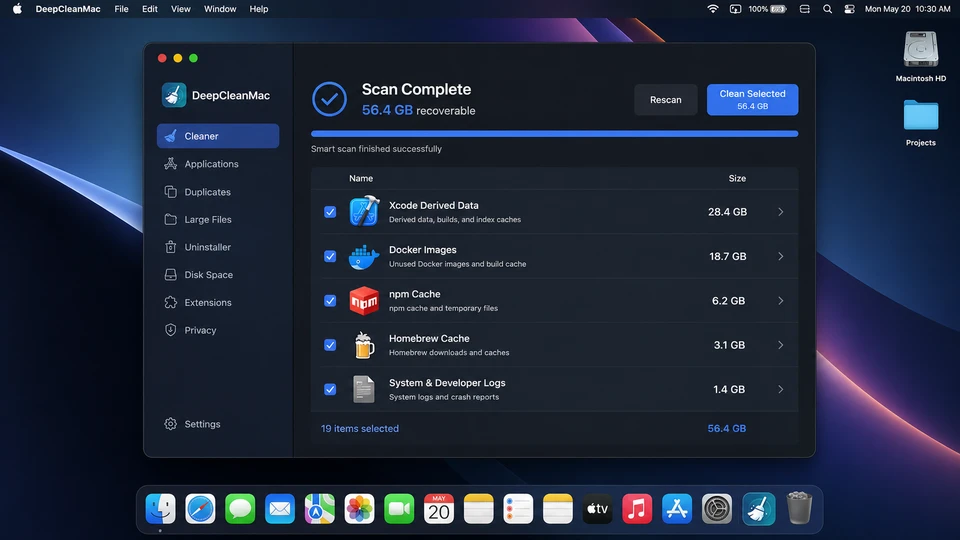
Best Mac Cleaner for Developers
If you develop on a Mac, your disk space is under constant pressure. Xcode derived data and old simulators, Docker images eating disk space, node_modules disk space growing with every project, pip caches, and Homebrew downloads all accumulate silently across dozens of hidden Library folders. A typical developer Mac loses 50-100GB to these caches over a year. DeepCleanMac helps you clean your developer Mac in one click. It scans over 200 known locations where development tools store temporary and cached data, identifies what is safe to remove, and lets you free up space on your developer Mac - without breaking your projects, installed packages, or active containers.
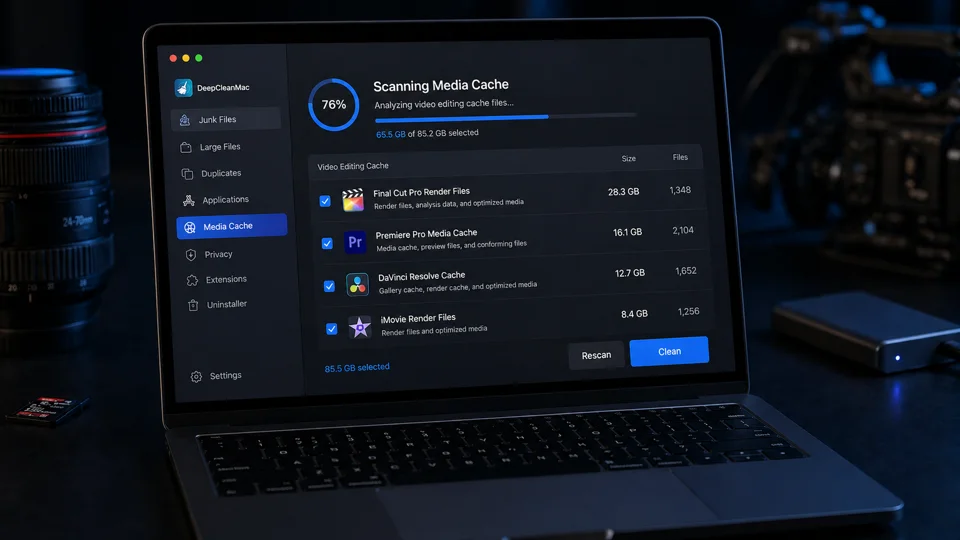
Best Mac Cleaner for Video Editors
If your Mac is running out of space from video editing, you are not alone. Every project in Final Cut Pro, Premiere Pro, DaVinci Resolve, After Effects, or iMovie generates render caches, proxy media, optimized files, and export temp data - and most of it stays on your disk long after the project is delivered. A single Final Cut Pro project can leave behind 20-50GB of recoverable render files in hidden Library folders, and the Premiere Pro media cache grows silently with every timeline you touch. DeepCleanMac is purpose-built for this workflow. It scans over 200 locations where video editing apps store temporary data, shows you exactly what is safe to delete, and helps you free up disk space without touching your source footage, timelines, or project files.
Best Mac Cleaner for Designers
Design tools are heavy on disk space - and not just because of the files you create. Adobe Photoshop, Illustrator, and InDesign maintain scratch disks, recovery files, and render caches that grow with every session. Figma stores offline copies of every file you open. Sketch accumulates autosave versions and plugin caches. Add font management caches on top, and a typical designer's Mac can lose 10-20GB to hidden data. DeepCleanMac scans over 200 locations where these tools store temporary files, identifies what is safe to remove, and lets you recover that space without touching your saved projects, installed plugins, or fonts.

Best Mac Cleaner for Students
If you are a student with a 256GB or 512GB MacBook, you know how fast storage fills up. Between macOS system files, apps like Zoom and Chrome, lecture recordings, PDFs, and assignments, there is barely room left for new coursework. What most students do not realize is that 5-15GB of that used space is hidden caches, temporary files, and leftovers from uninstalled apps - all safe to delete. DeepCleanMac was designed for exactly this situation. It scans your entire Mac in under 10 seconds, finds the junk files that are eating your storage, and lets you recover that space with one click. No technical knowledge required, and your documents, photos, and assignments are never touched.
Best Mac Cleaner for Photographers
Photography workflows generate enormous amounts of hidden data on your Mac. Lightroom alone can create 10-30GB of 1:1 previews and Smart Previews that persist long after you finish editing. Apple Photos stores face recognition data, thumbnails, and analysis caches that grow with your library. RAW processing in Capture One and Photoshop creates temporary files during every edit session. Combined, these hidden files can consume 20-50GB - space you need for actual photos. DeepCleanMac scans over 200 locations where photo editing tools store cached and temporary data. It shows you exactly what is safe to delete and recovers that space without ever touching your photos, RAW files, catalogs, or edits.